→

Docker is a developer tool which makes building and shipping software easier.
- Title
- UX Designer → Design Lead, Enterprise
- Role
- 1st designer for Enterprise team. Lead UX for 2 products.

Docker Enterprise
I led design across two enterprise products, working with a small team to ship Docker Enterprise. Our first customers included PayPal, Visa, ADP, Goldman Sachs, and the U.S. Department of Veterans Affairs.

Context
Docker makes it easier for engineers to develop and deploy their apps via "containers".
In layman terms: think of how you use moving boxes when you move. You can still move without boxes, but it's tougher. Containers are like these boxes, and they allow devs to package up an app's pieces into a neat package.
Docker Trusted Registry (DTR) – An enterprise-grade image* storage tool.
*An "image" in Docker's context is like a template for containers. If you're familiar with object-orientated programming, think of containers like an instance of an image. Like how an object is an instance of a class.
Docker Universal Control Plane (DUCP) – An enterprise-grade "cluster" management tool. Users can group their containers together into a cluster using Docker. Clusters let devs deploy their apps at scale.
Role
Docker Trusted Registry (DTR) – As the only product designer on DTR, I led design sprints with the team. My DTR team had a product manager, a frontend engineer and a few backend engineers. For early versions of DTR, I contributed to the frontend codebase to help my teammates.
Docker Universal Control Plane (DUCP) – From Jul 2015 → Sep 2017, I was either part of a 2-4 design team (woot!) or the sole designer (#burnout) for DUCP. I helped with information architecture, user acceptance testing, QA, wireframes, and user research.
Process & tools
Research
I did user interviews and communicated my summarized findings. After my teams understood the insights, I followed up with actionable tickets.
Then, Docker hired its first UX Researcher in 2016! I helped set her up for success by creating a wiki with a glossary & faqs. This helped her ramp up on tribal knowledge and Docker-specific concepts.
I also created interactive prototypes and competitor analysis of flows for her research. Each flow ties into a user story that I collaborated on with product managers.

Information architecture
New features can impact existing flows. Mapping out the information architecture helps us understand flows from a high-level perspective.
I worked with PMs, backend and frontend engineers to figure out user flows related to a new feature.
In some flow charts, I like to link the boxes so that they open up the matching mockup or wireframe. This helps teammates see how each screen connect to one another at a high-level.

Wireframes
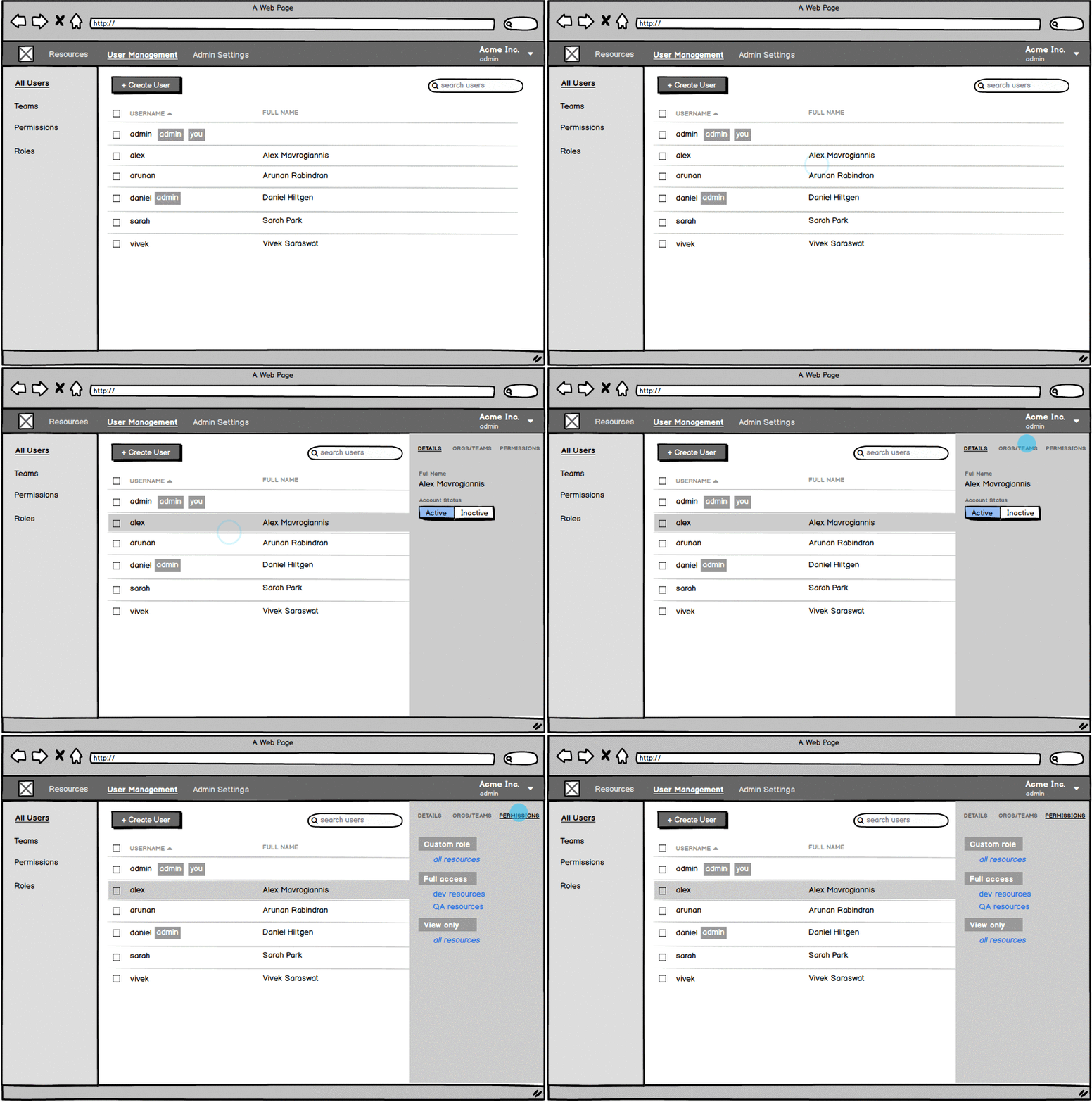
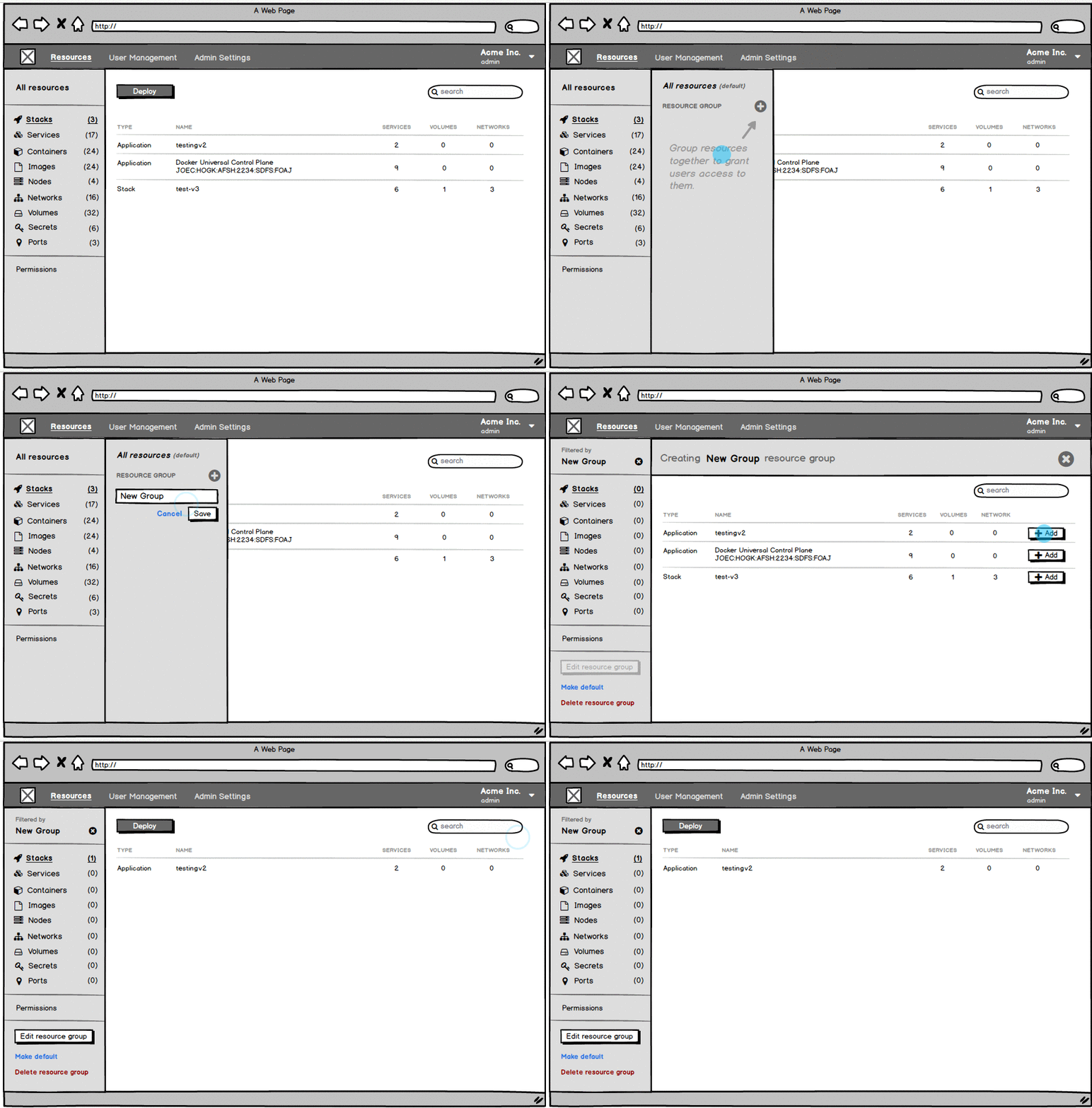
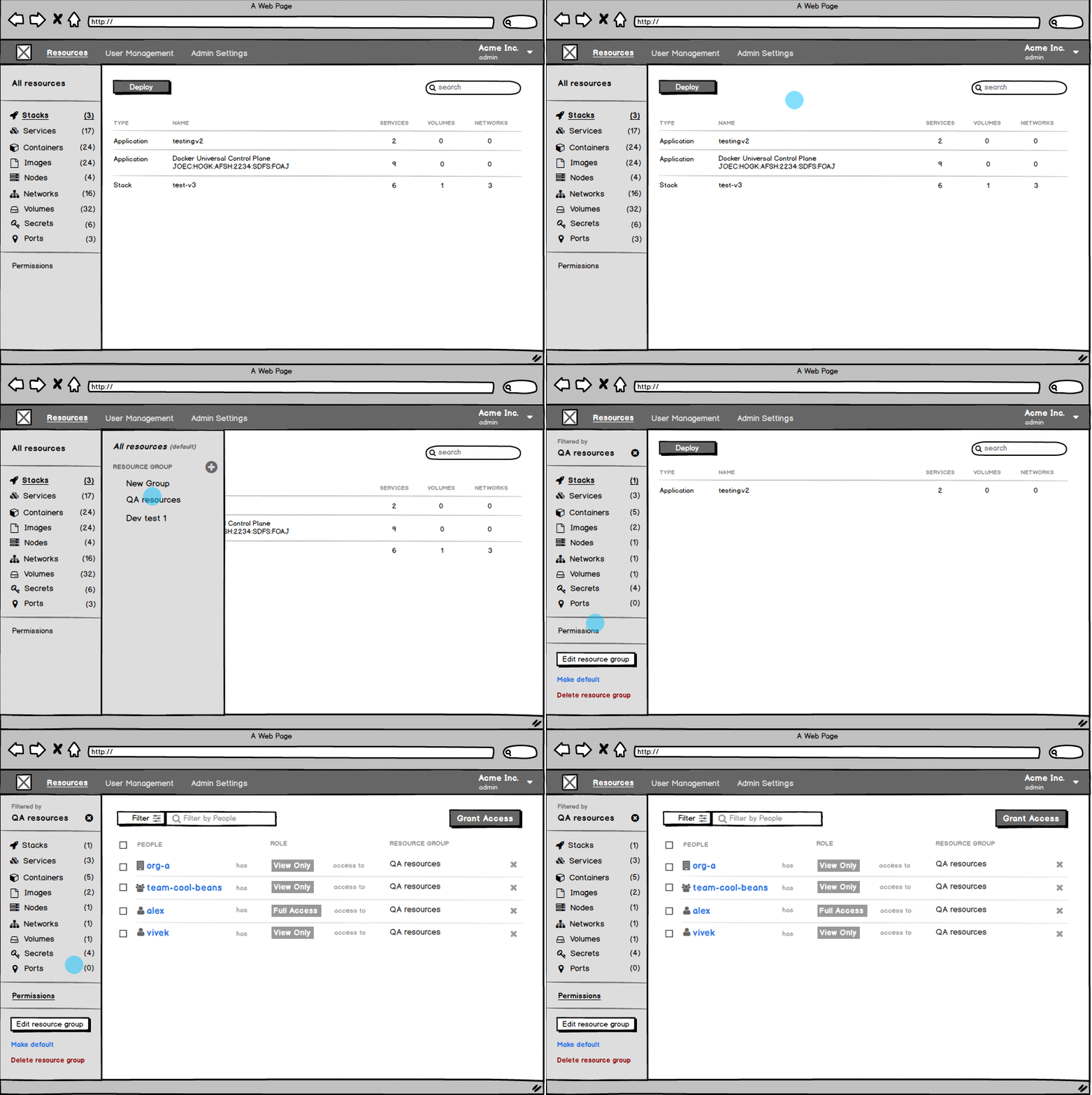
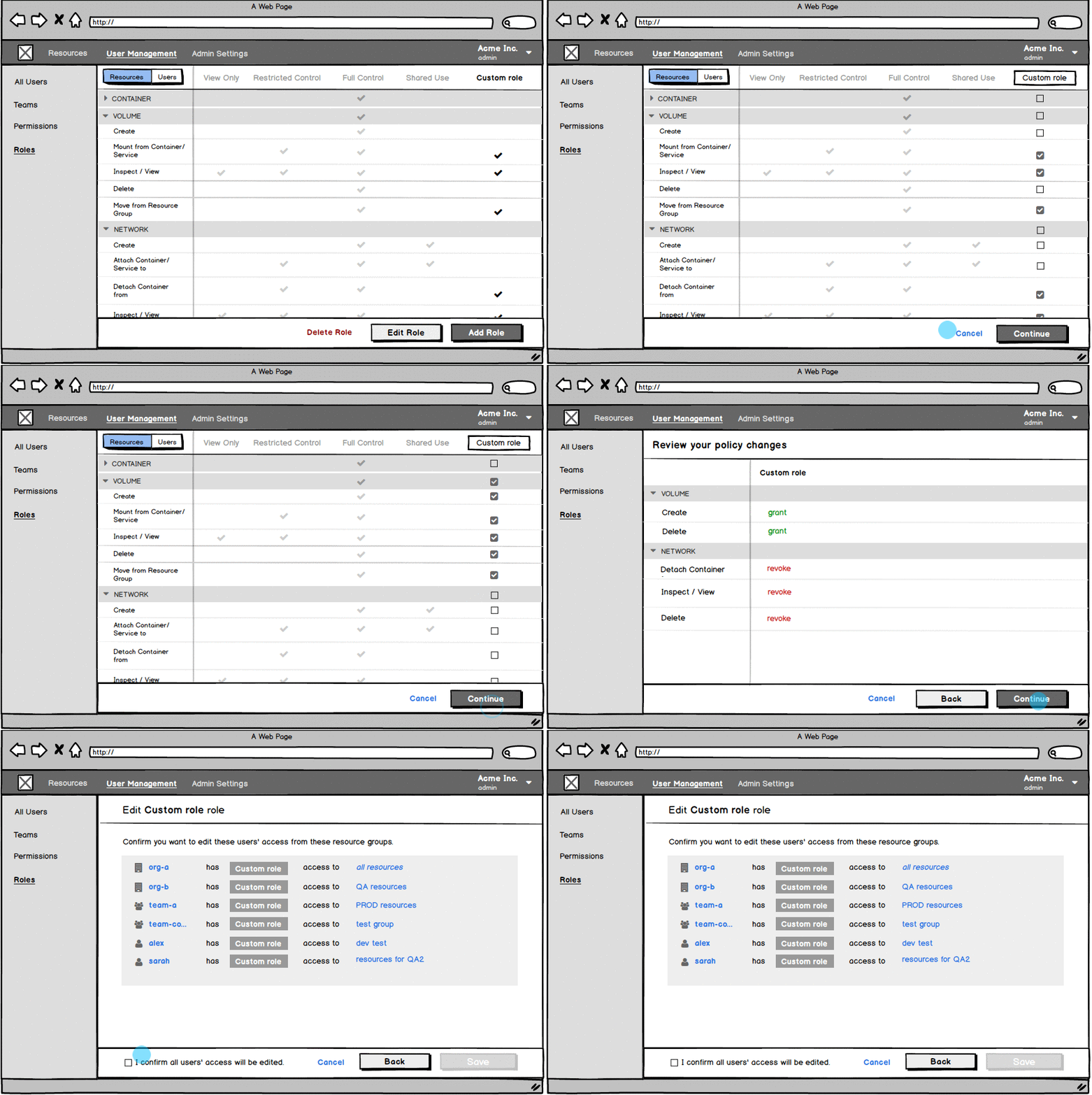
I like to use wireframes to rapidly iterate on the hierarchy and layout of content for new UI features.
Wireframes help communicate with PMs on proposed UX flows right away. It also allows engineers to start scoping out their work much sooner.

Interactive prototypes
I love interactive prototypes. They are SO effective at communicating flows.
With plenty of design tools (like Invision, Sketch plugins, and Figma) that allow you to quickly make clickable wireframes or mockups, a team should have interactive prototypes to reference for larger features.
For quickly communicating higher-fidelity animations or micro-interactions, I like to use Principle.
Mockups
For mockups, I like to add notes to help my team understand the design thinking behind my decisions. As the usual, lonely designer, I see it my responsibility to do a lot of knowledge-sharing and UX teaching.
I also try to align my notes to the PM's priorities (e.g. "This UI item is a must-have. This item is a nice-to-have.") This helped me and the engineers focus our priorities better.

QA & user acceptance testing
At the time, Docker didn't have a QA team. There also was not much automated testing. When higher-ups didn't listen to my concerns around quality, I decided to make my case heard with data.
I put on my QA hat, recruited a helper, and we manually tested over 100 cases. We caught many regressions and bugs. The findings convinced leadership to delay the release and give us more engineers!
